This is default featured slide 1 title

Go to Blogger edit html and find these sentences.Now replace these sentences with your own descriptions.This theme is Bloggerized by Lasantha Bandara - Premiumbloggertemplates.com.

This is default featured slide 2 title

Go to Blogger edit html and find these sentences.Now replace these sentences with your own descriptions.This theme is Bloggerized by Lasantha Bandara - Premiumbloggertemplates.com.

This is default featured slide 3 title

Go to Blogger edit html and find these sentences.Now replace these sentences with your own descriptions.This theme is Bloggerized by Lasantha Bandara - Premiumbloggertemplates.com.

This is default featured slide 4 title

Go to Blogger edit html and find these sentences.Now replace these sentences with your own descriptions.This theme is Bloggerized by Lasantha Bandara - Premiumbloggertemplates.com.

This is default featured slide 5 title

Go to Blogger edit html and find these sentences.Now replace these sentences with your own descriptions.This theme is Bloggerized by Lasantha Bandara - Premiumbloggertemplates.com.

Showing posts with label Softwares. Show all posts

Friday, April 6, 2012

Active Boot Disk Suite 5.7.0 Portable torrent

Active Boot Disk Suite 5.7.0 Portable

bootdisk-big.jpg

================
[Software INFO:]
================

Active@ Boot Disk
Active@ Boot Disk is a complete and functioning computer operating system on CD/DVD/USB disk.
Active@ Boot Disk does not modify the operating system already installed on a computer's hard drive.
It includes many tools to boot up a computer and fix most startup, PC configuration, and system management problems.

Key Features:
Dual-boot functionality (DOS + Windows)
New Boot Disk Creator interface plus additional features
Disk Defragmenter for files optimization
New activation process does not require reinstallation
File management — browse directories, search, copy and move files and folders
Data CD/DVD burning for data backup and recovery purposes
Additional driver loading on-the-fly, or from pre-configured directories
Full access to non-bootable PC
Network access via TCP/IP, network configurator is included

System Requirements:

*Windows 8 Beta New!
*Windows 7
*Windows Vista (32 bit/64 bit)
*Windows Server 2008
*Windows XP
*Windows XP Professional x64
*Windows XP Home x64
*Windows Server 2003
*Windows Server 2000
*Windows 98
*Windows ME
*Windows NT
*FAT12, FAT16, FAT32, NTFS, NTFS5, NTFS+EFS file systems
*Advanced search of deleted files
*All types of Flash Memory Cards
*Localized and long filenames
*Compressed, encrypted and fragmented files on NTFS
*IDE / ATA / SCSI drives

================
[INSTALL NOTES]
================

Step 1: unpack rar archive
Step 2: run the exe
Step 3: Enjoy and Buy!..

Scanned With Latest Kaspersky Internet Security 2012 to Avoid Virus Issues. No Threats Detected.


Download Link

Wednesday, April 4, 2012

Avast Internet Security 2012 - 2013 torrent

Link to the official site is http://www.avast.com/internet-security


avast! Internet Security provides complete antivirus, anti-spyware, antispam, and firewall protection, complemented by avast! SafeZoneΓäó and new hybrid cloud technologies, for best protection against viruses, spyware, and other types of malware in 2012.

This one is not my software. I did not create it. I got it from a friend and i liked it so i am uploaded it. Credits goes to the guy who cracked it. Thanks.


Download Link


http://extratorrent.com/torrent_download/2655027/Avast+Internet+Security+2012+-+2013.torrent

Monday, April 2, 2012

Corel VideoStudio Pro X5 15.0.0.258 Multilingual (keygen-CORE) ChingLiu

WGi7m.jpg

Powerful video-editing software with screen recording


Rating: 2.9/5 (15 votes cast)Report about update Corel VideoStudio Pro is an all-in-one video editor that brings together creative editing, advanced effects, screen recording, interactive web video and total disc authoring. Ultra-fast and packed with intuitive tools, it lets you create everything from family movies and slideshows, to fun stop motion animations, and screen recordings of presentations, tutorials and more. Get creative with advanced compositing and stellar creative effects. Tap into the full power of your multi-core processor with unprecedented speed. And share everywhere with native HTML5 video support, and enhanced DVD and Blu-ray authoring. Corel VideoStudio Pro offers a huge palette of features, effects and options that indulge the imagination. Corel VideoStudio Pro is the powerful, creative and easy way to take your video footage from shoot to show-fast.

Quickly load, organize and trim SD or HD video clips. Cut together your production from templates and get creative with effects, music, titles, transitions and more. Explore Stop Motion Animation and Time-Lapse tools, then export to 3D! It’s everything you need for professional-quality video editing. Create, edit, render and share faster than ever with VideoStudio Pro – your complete video-editing software for making HD movies.

• Stop Motion Animation – create your own animated movie starring people, toys or objects
• Flexible workspace – drag to resize and move panels, even across two monitors
• Time-Lapse Effect – easily and quickly create time-lapse sequences from photos or videos
• Advanced editing – have fun making movies with quick access to professional editing tools
• Export in 3D – turn your 2D video into a 3D movie
• Easy HD sharing – author and burn HD movies directly to DVD and Blu-ray Disc™
• Online sharing – upload movies directly to YouTube™, Vimeo®, Flickr®, Facebook® and other websites

Get ready to create your best-ever movies! Even upload directly to YouTube™ to let the whole world in on the fun. VideoStudio Pro kicks the movie making process into high gear, giving you the ultimate playground for creativity. Your complete HD video-editing program, it gives you a rapid head start with professionally designed templates, real-time, studio-quality effects, polished titles and smooth transitions. Super-charge your workflow with GPU acceleration and multi-core Intel® CPU support for faster editing and rendering. Quickly assemble video clips in new Express Edit mode or go deep with advanced video-editing tools.

What’s new in Corel VideoStudio Pro X5:• NEW! Screen recording - Create screen recordings for less than one-third of the cost of the leading screen recording software. Record slideshows, tutorials, product demonstrations, gameplay, how-to videos and more directly from your screen in one easy-capture interface.

• NEW! HTML5 support - Create interactive video with onscreen graphics, integrated hyperlinks and titles directly in VideoStudio® Pro X5 thanks to built-in HTML5 support and HTML5 Instant Projects.

• Enhanced! Faster performance - Harness the full power of your PC with GPU and multi-core acceleration. VideoStudio® Pro X5 runs more processes simultaneously for faster rendering than ever.

• NEW! Import multi-layer graphics - Support for Corel® PaintShop™ Pro layers means you can now import individual layers of a multi-layer image file on to individual tracks, so you can layer clips to create effects that wow your audience.

• NEW! Template library - Drag a template directly from the library to the Timeline to jumpstart your production. Make your own templates, download them from the Corel Guide or from the free www.photovideolife.com community (English only).

• Enhanced! Workspace scalability - Now you can scale VideoStudio® Pro X5 on the main screen. Undock, drag and place your interface any way you want.

• Enhanced! DVD authoring - Dramatic improvements in DVD and Blu-ray™ authoring in VideoStudio Pro X5 mean you can edit and create DVD subtitles to show or hide, burn from an ISO disc image and more.

• Enhanced! Download and trade templates, plus get free tutorials - Sign in to the enhanced Corel Guide to download movie templates, free tutorial content, graphics and much more. Plus, www.photovideolife.com offers a blog and free template trading, along with affordable premium templates and effects.

• Enhanced! Support for more cameras - VideoStudio® Pro X5 works with your footage from a huge variety of cameras, from camcorders to mobile phones, to iPod® and iPad®, and advanced HD cameras. This version includes 3D camcorder support, along with support for Canon DSLRs that shoot stop motion. VideoStudio® Pro X5 also supports the frame rates found in newer HD camcorders, so you can edit in 50 or 60fps mode, which is ideal for higher quality and slow motion effects in sports footage.

• NEW! 21 multimedia tracks - Make content-rich videos with 21 tracks for media, graphics and titles. Plus, use new Track Visibility controls to hide or show tracks when editing or outputting, which is especially useful for adding subtitles in multiple languages.

System RequirementsMicrosoft® Windows® 7, Windows Vista® or Windows® XP with latest service packs installed (32-bit or 64-bit editions)
Intel® Core™ Duo 1.83 GHz, AMD Dual-Core 2.0 GHz (multi-core processor recommended)
2 GB RAM (4 GB or higher recommended)
128 MB VGA VRAM or higher (1 GB or higher recommended)
3 GB of free hard drive space
Minimum display resolution: 1024 x 768
Windows®-compatible sound card
Windows®-compatible DVD-ROM drive for installation
Recordable Blu-ray™ drive required for creating Blu-ray™ discs
Internet connection required for online features and tutorial videos

Input/Output Devices Supported1394 FireWire® cards for use with DV/D8/HDV™ camcorders
Support for OHCI Compliant IEEE-1394
USB Video Class (UVC) DV cameras
Analog capture cards for analog camcorders (VFW WDM support for Windows XP and Broadcast Driver Architecture support for Windows Vista and Windows 7)
Analog and Digital TV capture devices (Broadcast Driver Architecture support)
USB capture devices: Web cameras and disc/memory/hard drive camcorders
Windows®-compatible Blu-ray™, DVD-R/RW, DVD+R/RW,
DVD-RAM or CD-R/RW drive
Apple® iPhone®, iPad®, iPod classic® with video, iPod touch®, Sony® PlayStation Portable®, Pocket PC, smartphones

Input Formats SupportedVideo: AVI, MPEG-1, MPEG-2, AVCHD™, MPEG-4, H.264, BDMV, DV, HDV™, DivX®, QuickTime®, RealVideo®, Windows Media® Format, MOD (JVC® MOD File Format), M2TS, M2T, TOD, 3GPP, 3GPP2
Audio: Dolby® Digital Stereo, Dolby® Digital 5.1, MP3, MPA, WAV, QuickTime, Windows Media® Audio
Images: BMP, CLP, CUR, EPS, FAX, FPX, GIF, ICO, IFF, IMG, J2K, JP2, JPC, JPG, PCD, PCT, PCX, PIC, PNG, PSD, PSPImage, PXR, RAS, RAW, SCT, SHG, TGA, TIF, UFO, UFP, WMF
Disc: DVD, Video CD (VCD), Super Video CD (SVCD)
Some format support may require third-party software.

Output Formats SupportedVideo: AVI, MPEG-2, AVCHD, MPEG-4, H.264, BDMV, HDV, QuickTime, RealVideo, Windows Media Format, 3GPP,
3GPP2,WebM, HTML5
Audio: Dolby Digital Stereo, Dolby Digital 5.1, MPA, WAV, QuickTime, Windows Media Audio, Ogg Vorbis
Images: BMP, JPG
Disc: DVD (DVD-Video/DVD-R/AVCHD), Blu-ray Disc™ (BDMV)
Some format support may require third-party software.

Languages : Multilanguage

Homepage : http://www.corel.com/corel/product/index.jsp?pid=prod4650075


Click Here To Download

Sunday, April 1, 2012

QuickTime Pro v 7.71.80.42 + key

Picofhowtoinstall.png


QuickTime is a powerful, reliable, and flexible foundation for the most cutting-edge multimedia experiences. But that's just the beginning. With QuickTime 7 Pro, third-party plug-ins, and QuickTime streaming solutions, you can take your digital media even further.


QuickTime 7 Pro can convert your media to different formats, so you can watch a movie or video on your iPhone, iPod, and Apple TV. You can also use QuickTime 7 Pro to record video and share everything you make with friends and family.

Convert your media.

Want to watch your home movies in the living room or on the go? QuickTime 7 Pro converts your files to a format optimized for iPhone, iPod, Apple TV, or a variety of other devices.


Record and edit your work.

With QuickTime 7 Pro, you can record audio and video directly from your built-in iSight camera, FireWire camcorder, or microphone.* You can even trim what you̢۪ve recorded to the ideal length.

REDCODE RAW

The REDCODE RAW QuickTime codec supports real-time playback in Final Cut Pro and editing of QuickTime reference movies generated in camera. This codec also allows for playback of REDCODE RAW movies directly from QuickTime Player or other QuickTime-enabled applications.

QuickTime Player from Apple allows the playback of quicktime movies (.mov) and many other formats.

The new QuickTime Player not only delivers startling quality, but it's easier to use than ever. It requires no set up for content that streams over the network. Instead, QuickTime Player automatically determines your system's connection speed and chooses the highest quality stream for the amount of bandwidth you have available. And if you ever lose a connection while watching streaming video, QuickTime Player automatically reconnects. Now, thats convenience.

Playback of 3GPP and 3GPP2 files
Playback of MPEG-4 video, H.274, AAC audio & Instant-On media
Easy-to-use controls
Enhanced interface
Bass and treble controls
Balance control
Streaming media support
Ability to save movie favorites
Ability to view VR & interactive content
H.264 video
Multichannel audio playback
Live resize
New playback capabilities
Zero config streaming


+
1:Unpack +

+
2:Install then close +

+
3:Open software go to +
EDIT\Preference\Register\ +

+
4:Register with the name a key+
in the readme +


Download Link


http://extratorrent.com/torrent_download/2653239/QuickTime+Pro+v+7.71.80.42+%2B+key+thetazzzz.torrent

IDM 6.11 Beta 32Bits+64Bits + Patch + Serial BY KiNGSOFT3020


Internet Download Manager 6.11 beta
idm


Version


6.11Beta

INFO

Internet Download Manager (IDM) is an easy-to-use program that allows you to download any software, music, movies, games etc. much faster due to its ability to increase download speed up to 500 percent. The program contains a wide range of customizable features and a multilingual interface and supports proxy servers, FTP, HTTP and HTTPS protocols, firewalls, file redirects, cookies, ZIP preview, categories, MP3 audio and MPEG video content processing etc. We found the site grabber feature very useful as it lets you download not only selected files but also the whole web sites so that you could then mirror or browse them offline. The program also gives you the opportunity to schedule multiple grabber projects with Scheduler feature. This feature enables you to specify the time when you want to start and stop a download, or you can select the periodic synchronization option. The scheduler also provides you with capability to hang up the modem and even turn off your computer when everything is done! Intelligent error recovery and resume features are really very helpful because whenever your downloads are interrupted due to different problems, ranging from lost connections to computer shutdowns, these options immediately restart them. This edition contains a newly added feature that enables you to download and save FLV video files from such widespread sites as YouTube, MySpaceTV, Google Video, etc. So, we can definitely say that Internet Download Manager is an excellent and irreplaceable download assistant.


PICTUR


1


2


3


4


5


6


8


OPERATING SYSTEM

operting


Download Link


http://extratorrent.com/torrent_download/2653238/IDM+6.11+Beta+32Bits%2B64Bits+%2B+Patch+%2B+Serial+BY+KiNGSOFT3020.torrent

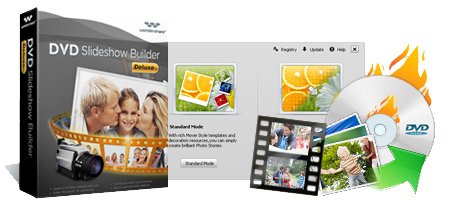
Wondershare DVD Slideshow Builder Deluxe 6.1.10.62 + Keygen

Wondershare DVD Slideshow Builder Deluxe 6.1.10.62 + Keygen

d698ac114658c33796d423dcb98485e0.jpg

================
[Software INFO:]
================

Wondershare DVD Slideshow Builder Deluxe 6.1.10.62| 37 MB

Do you take most of your photographs and shoot videos when on holidays or at festive events? We've been working on how to get the very best out of your photo memories by adding transition effects and DVD menus that match the occasion perfectly. Gather up your favorite photos and videos, combine with music, set background pictures, choose from 100+ DVD menu templates, easily create a unique and personalized home movie for any occasion. With the improved DVD Slideshow Builder 5, you can instantly add videos from TV card and webcam, combine photos with smoother 2D/3D transition effects, and make DVD slideshow with motion menus to amaze family and friends. Action now to enjoy the better video experience.

Features

Add All Contents Instantly
• Add video from disk and capture video from TV card and Webcam easily
• Add up to 1024 photos / videos in one slideshow
• Sort slideshows in designed order.
• Drag and drop to easily add content to a show
• Support more input (GIF, TIF) and output formats ( MOV, FLV and ASF).
• Create more than one soundtrack by adding MP3, WMA or WAV file to slideshow

Special Effects that Amaze
• Bring photos to life with motion effects
• Choose from 125+ 2D / 3D transition effects ~Improved
• Add desired transition and motion effects to Favorites category
• Randomize motion and transition effects for your slideshow in seconds.

Customize Individually
• One-click to automatically synchronize video and audio
• Control timing for each slide, including transition & motion effects
• Easy to customize a personalized DVD menu to match any occasion
• Record voice-over narrations for personalized movie

Fast and Easy Show Creation
• 100+ DVD menu templates for easy DVD creation for TV
• Author motion DVD menu based on dynamic menu templates
• Storyboard/Timeline Mode gives you the flexibility to view projects the way you like
• Timeline view makes it easier to control the timing in your show
• Real-time preview your project with a virtual remote

Share Shows Virtually Anywhere
• Fully-integrated media DVD authoring for any standard DVD player
• Upload your video on YouTube for podcast
• Supports NTSC and PAL for international playback compatibility
• Combine both TV and PC playback on the same disc
• Switch between 4:3 and 16:9 aspect ratio for DVD menu and video
• Avoid TV clipping with integrated Safe Mode

Output Formats - Ready for HD DVD
• DVD (Standalone DVD Player and PC playback)
• ASF (Advanced Streamm Format )
• MOV (QuickTime MOV)
• FLV (Flash Video)
• Audio Video Interleave (AVI)
• Windows Media Video (WMV)
• 3GP (Mobile Phone Video)
• MP4 and MPG (MPEG-1 and MPEG-2 VIDEO)

Home Page www.wondershare.com


================
[INSTALL NOTES]
================

Step 1: unpack rar archive
Step 2: run the setup and install
Step 3: Use the given keygen to activate
Step 4: Enjoy and Buy!..

Scanned With Latest Kaspersky Internet Security 2012 to Avoid Virus Issues. No Threats Detected.

CHECK MY PROFILE AND FEEL FREE TO DOWNLOAD MORE WINDOWS SOFTWARE, THEMES, LATEST MAGAZINES, EBOOKS AND MUCH MORE STUFF FROM THIS ACCOUNT

DOWNLOAD AND SEED FOR YOUR FRIENDS


!! PLEASE SEED !! PLEASE SEED !! PLEASE SEED !!

THAT IS WHAT I ONLY NEED FROM YOU to KEEP THIS TORRENT LIVE. THANK YOU!!! 


If You Like This Torrent Please Support the Authors. Please Buy it. Thanx 

574d5c240d52ebb26b9eeb3634a87b07.gif

0f72845cdfe90fb87159e2930d3a4736.gif

xlu6ncek.gif

Click Here To Download

Screen Recorder 1.3 + Reg Key

Screen Recorder 1.3

Zebra_Screen_Recorder.jpg

================
[Software INFO:]
================

Zebra Screen Recorder captures your PC desktop activity into standard MPEG or AVI video files. It records everything you see on the computer screen, including the entire desktop, windows, menus, cursors – even video with sound. Screen ruler allows you to accurately capture anything on your screen. One click is all it takes to capture any video including web-cam chats and video calls.

You can use it to record video chats, web conferences, online lectures, online courses, online movies, screen demos, training videos, teaching videos, animated tutorials, animated presentations, animated help files. You can use Zebra Screen Recorder to demonstrate features of a web site or program, make tutorials, presentations, or any other task that requires showing screen activity.

Feel free to choose between high-quality, high-speed MPEG/AVI files, or smaller media files. Zebra Screen Recorder can use any video codec presented in your system for compressing your video in real time!

================
[INSTALL NOTES]
================

Step 1: unpack rar archive
Step 2: run installer Screen Recorder 1.3.exe

0f72845cdfe90fb87159e2930d3a4736.gif
574d5c240d52ebb26b9eeb3634a87b07.gif

6da6d2becaa013d9afbae59ca1bc4f02.gif

Click Here To Download

Saturday, March 31, 2012

Xilisoft 3D Video Converter 1.0.0.20120313 + Patch torrent

Xilisoft 3D Video Converter 1.0.0.20120313

36545713459468311763338350289362.jpg

================
[Software INFO:]
================

Xilisoft 3D Video Converter is an outstanding 2D&3D converting specialist that enables you to convert videos from 2D to 3D, even 3D to 2D, as well as convert one kind of 3D format to another. It supports nearly all the popular video formats which include M4V, VOB, ASF, 3GP, 3G2, SWF, H.261, H.264, DV, DIF, MJPG, MJPEG formats and so on.

Here are some key features of "Xilisoft 3D Video Converter":
- Convert standard 2D video to 3D video
- Convert among different types of 3D videos
- Convert 3D video to standard video
- Support almost all popular formats of videos
- Support almost all mainstream multimedia players like iPod, iPad, Apple TV, iPhone, Windows Devices, etc.
- Support Anaglyph (Red/Cyan) video as output to watch 3D movie at standard 2D TV
- Instant preview for output video
- Multiple interface languages

================
[INSTALL NOTES]
================

Step 1: unpack rar archive
Step 2: run installer .exe


Click here to download http://extratorrent.com/torrent_download/2652514/Xilisoft+3D+Video+Converter+1.0.0.20120313+%2B+Patch.torrent